

Bad Elf Flex® App
Complete receiver control, built‑in NTRIP client, Extreme Mode token management, and laser offset workflow—free for iOS and Android.

What’s in the App
Designed from the ground up for precision GNSS professionals—clean enough for daily use, powerful enough for demanding field conditions.
Built‑in NTRIP Client
Connect to any CORS or VRS correction network for centimeter‑level RTK positions. No separate app, no configuration files—just a network address and a tap.
Satellite Portrait
Full sky view with real‑time signal‑strength bars for every tracked satellite. Drill into individual constellations to diagnose blockage or multipath in seconds.
Extreme Mode & Tokens
Activate Extreme mode, view your Bad Elf Flex Token balance, and purchase new tokens directly in‑app—no laptop or separate portal required.
⚠ Only available on BE-GPS-5500 & BE-GPS-6500
Laser Offset Workflow
Integrated checklist‑driven laser offset collection with LTI TruPulse rangefinders. Collect complete position and height data from access‑limited locations.
⚠ Only available on BE-GPS-5500 & BE-GPS-6500
iOS & Android
Native cross‑platform support via Bluetooth. Streams precision positions to any location‑aware app. Fully MFi‑certified for iOS Core Location integration.
Raw Data Logging
Log RINEX files for post‑processing or NMEA 0183 streams for direct ingestion into GIS, survey, and field data collection platforms.
⚠ Only available on BE-GPS-5500 & BE-GPS-6500
Application Screenshots
Designed for real‑world field conditions—deep enough for professionals, approachable for first‑time users.
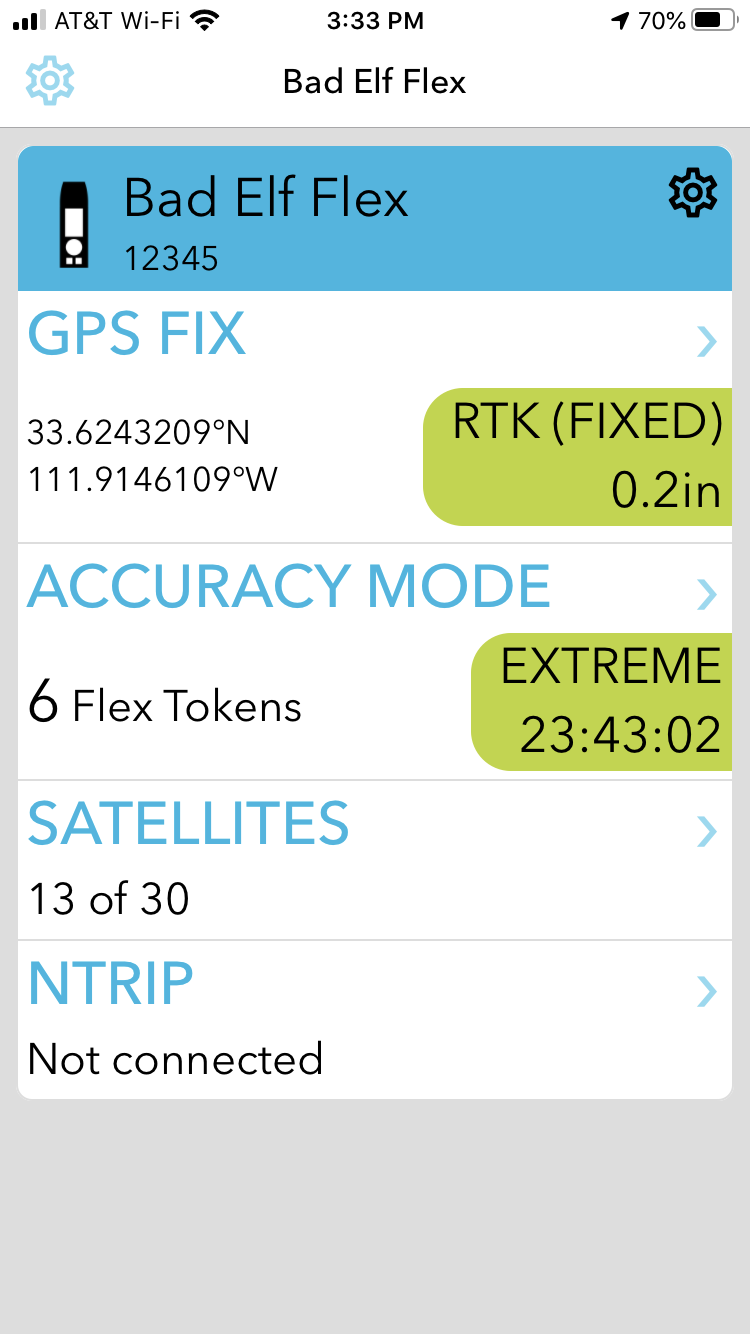
Home Screen
Drill into GNSS fix details, view the satellite portrait, or launch the built‑in NTRIP client—all from the main dashboard.
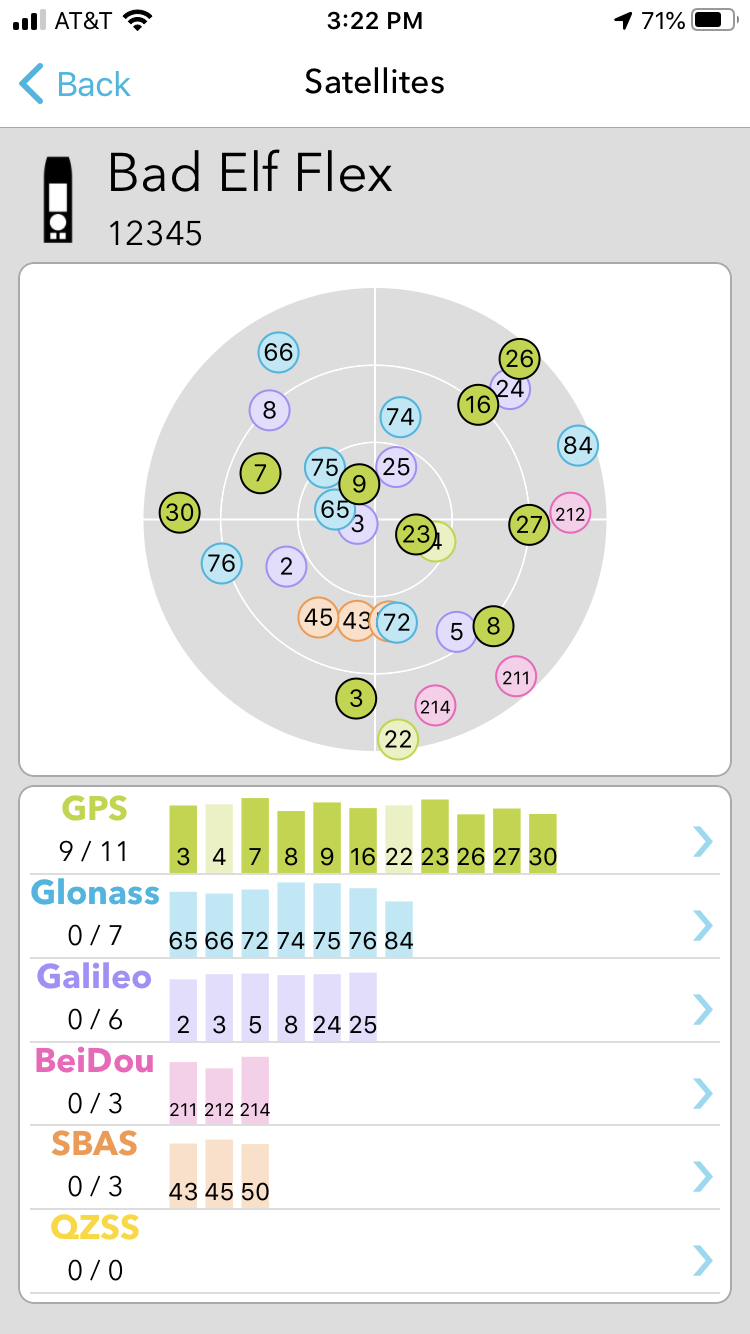
Satellite Screen
Complete sky view with per‑satellite signal‑strength bars. Filter by constellation for targeted signal diagnostics.
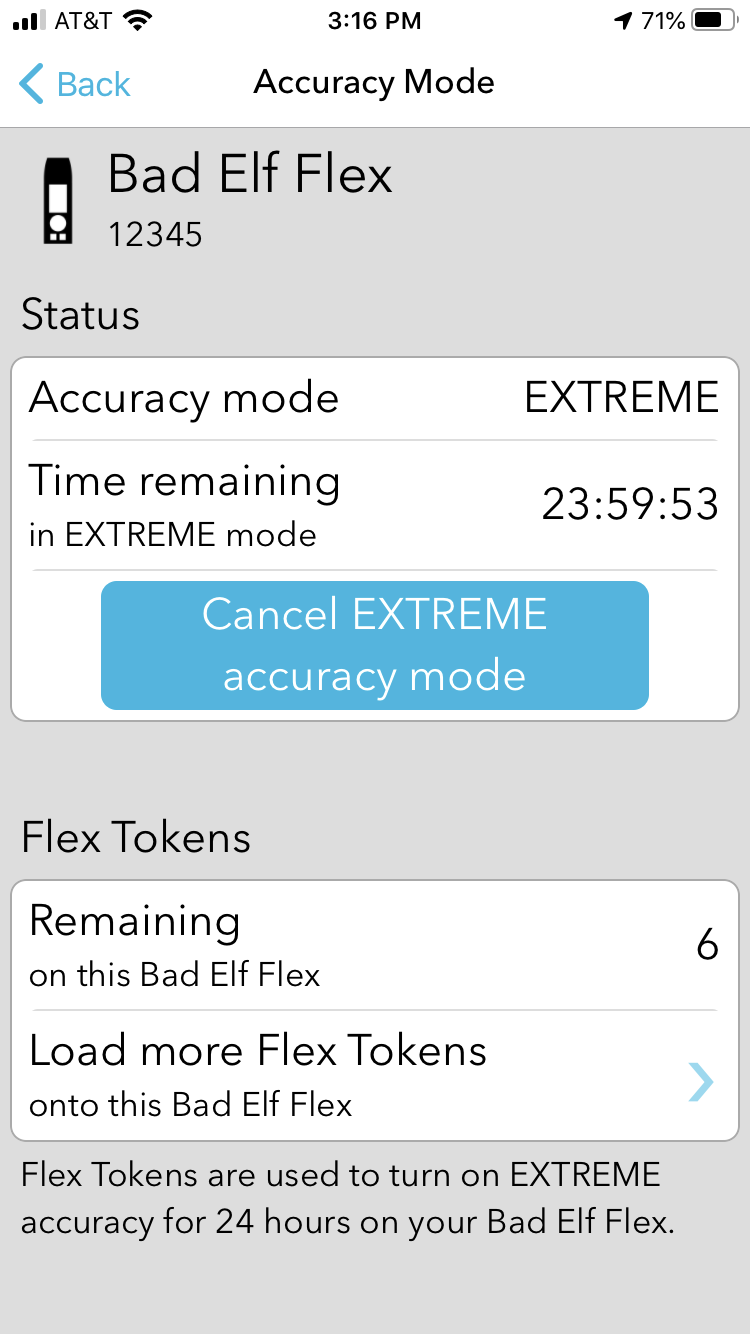
Extreme Mode & Tokens
Manage your token inventory and activate Extreme mode. Load additional tokens before heading into areas without cell coverage.
Instant Accuracy
The Bad Elf Flex app solves the classic “two‑app problem.” The moment your Flex or Flex Mini pairs over Bluetooth, the app automatically connects to your saved NTRIP corrections network in the background—no start/stop button, no configuration step. Open your field collection app and start capturing high‑precision data. That’s Engineering Magic®.
- Auto‑connects the instant your receiver pairs
- Runs silently in the background—never leave your GIS app
- Plain‑language alerts for auth failures, signal quality drops, and RTK fix loss
- Crews resolve issues in the field without a support call

Works With Every Location‑Aware App
The Bad Elf Flex app delivers precision GNSS positions to any location‑aware app on your device with no special configuration. It meets all Apple MFi requirements and works transparently with the iOS Core Location framework.
Popular integrations:
- Esri ArcGIS Field Maps & Survey123
- Pix4Dcatch
- Fulcrum
- Pointman by ProStar
- Any NMEA 0183‑compatible platform
RTK Marketplace & Correction Services
The Bad Elf Flex app embeds the RTK Marketplace—browse state networks, compare private providers, and connect with preconfigured settings. Each partner offers a free trial so you can evaluate before you commit.
GEODNET
Thousands of triple‑frequency, full‑constellation reference stations worldwide. Centimeter‑accurate RTK‑fix with continuously expanding global coverage. Includes a 30‑day free trial.
Learn more ›Swift Skylark™
Cloud‑based PPP‑RTK and Network RTK delivering 1–7 cm accuracy across the US, Canada, EU, and beyond. Every Flex and Flex Mini Extreme purchase includes a 6‑month free trial.
Learn more ›Point One Polaris
1–3 cm horizontal and vertical accuracy with instant fix times across the continental US. Contract‑free monthly or yearly subscription. Includes a 14‑day free trial.
Learn more ›Atlas® L‑Band
4–5 cm accuracy delivered by satellite—no cellular connection needed. One Bad Elf Flex Token ($25/day) unlocks multi‑frequency RTK and L‑Band corrections for a full 24 hours.
Learn more ›Free to Download. Ready to Work.
Available for iOS and Android. Requires a Bad Elf Flex or Bad Elf Flex Mini GNSS receiver.